Enterprise Admin Guide: How do I manage my Organisation?
- Disaster Science
- Bushfire.io enterprise
- November 4, 2026
Table of Contents
This guide is for the people who manage an Organisation on Bushfire.io Enterprise. It tells you where each admin tool is, what each role can do, and how to do the most common tasks.
Info
Requires a subscription to Bushfire.io Enterprise. Some tasks also work on Business. Each quick guide tells you which plan it needs.
Quick guides
| I want to… | Quick guide |
|---|---|
| Add a person to my organisation | How do I add a user? |
| Give a licence to everyone with our email domain | How do I licence my email domain? |
| Remove a person who has left | How do I remove a user? |
| Give a person admin access | How do I make someone a manager? |
| Put an office, depot or other asset on the map | How do I add a site? |
| Let my team see our sites | How do I share a layer? |
| Get alerts when a fire or warning is near a site | How do I get alerts near my sites? |
| Send alerts to a staff member by SMS, email or webhook | How do I add a destination for a staff member? |
| Use our live layers in ArcGIS or QGIS | How do I connect Bushfire.io to ArcGIS and QGIS? |
Key terms
The app and this guide use these words with one meaning each.
| Term | Meaning |
|---|---|
| Organisation | Your company or agency in Bushfire.io. It holds your users, licences, custom layers and icons. |
| Organisation Manager | An administrator of the organisation. The app shows an Organisation Manager badge beside each one. |
| Licence | A set of seats with one plan (User, Pro, Business or Enterprise). The app lists licences under Groups and Licences. |
| Licence manager | A person who can add and remove users on one licence. |
| Member | A person who holds a licence from your organisation. |
| Custom layer | A map layer that your organisation owns. It contains your sites. |
| Site | A place that you want to watch, such as an office, a depot or a property. A site is a point, a circle, a polygon or a line on a custom layer. The app calls sites “points of interest” or “features”. |
| Notification destination | A place where Bushfire.io sends alerts: a phone (push or SMS), an email address or a webhook. |
| Access key | A key that lets your GIS software or scripts use your licence without a sign-in. |
Where to find your admin tools
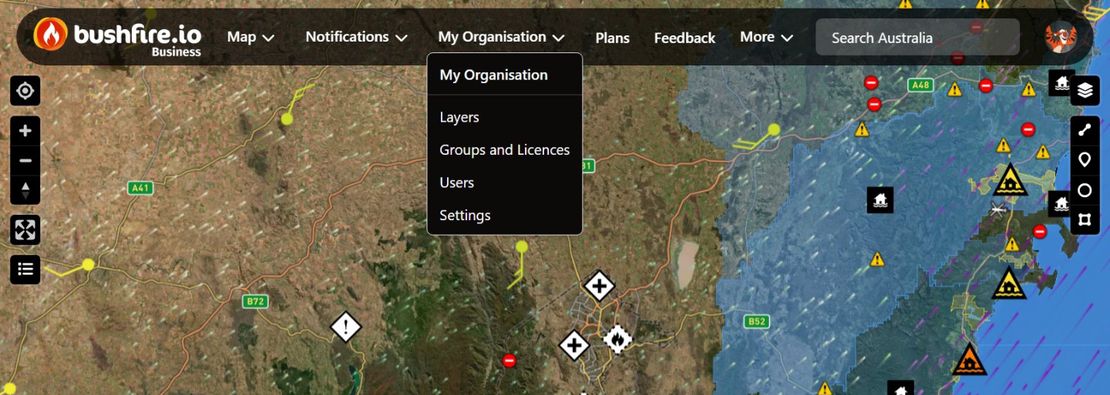
Sign in at bushfire.io. Then open the My Organisation menu at the top of the screen. The menu heading shows the name of your organisation.
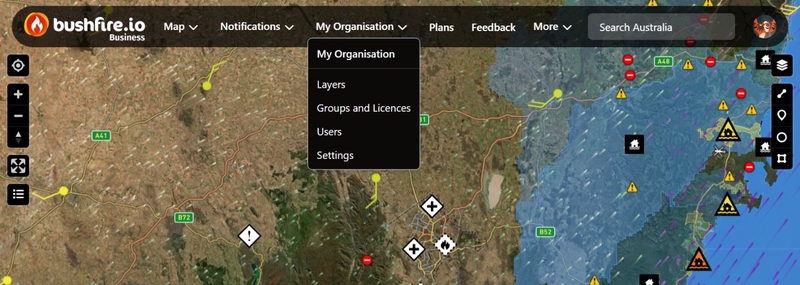
| Menu item | What you do there | Who sees it |
|---|---|---|
| Create Organisation | Create your organisation. The app hides this item after you create it. | Business and Enterprise users with no organisation |
| Layers | Create custom layers, add sites and set up layer alerts. | Business and Enterprise users |
| Groups and Licences | See your licences, assign users and add licence managers. | Business and Enterprise users |
| Users | See all members, create users and promote managers. | Organisation Managers |
| GIS and Tokens | Create access keys for ArcGIS, QGIS and other software. | Enterprise users |
| Settings | Change the name, permissions and icons of the organisation. | Business and Enterprise users in an organisation |
On a phone, the bottom bar also has a Layers tab.
Roles and what they can do
Admin roles
| Task | Organisation Manager | Licence manager | Member |
|---|---|---|---|
| See all members of the organisation | ✅ | - | - |
| Create a new user (Enterprise licence required) | ✅ | - | - |
| Assign users to a licence | ✅ (all licences) | ✅ (their licence) | - |
| Remove users from a licence | ✅ (all licences) | ✅ (their licence) | - |
| Add or remove licence managers | ✅ (all licences) | ✅ (their licence) | - |
| Promote or demote Organisation Managers | ✅ | - | - |
| Change organisation settings | ✅ | - | - |
| Delete the organisation | ✅ | - | - |
What each licence gives a member
| Feature | User | Pro | Business | Enterprise |
|---|---|---|---|---|
| The live map | ✅ | ✅ | ✅ | ✅ |
| Pro layers (satellite, wind, Possible Fire Ignitions) | - | ✅ | ✅ | ✅ |
| See custom layers shared with them | - | ✅ | ✅ | ✅ |
| Create and edit custom layers and sites | - | - | ✅ | ✅ |
| SMS and account email alerts | - | ✅ | ✅ | ✅ |
| Alerts to any email address (for example, a team inbox) | - | - | ✅ | ✅ |
| Webhooks | - | - | - | ✅ |
| GIS services and access keys | - | - | - | ✅ |
When you link a licence to a custom layer, Pro members get read-only access. Business and Enterprise members get read and write access. User licences get no access to custom layers.
Organisation settings
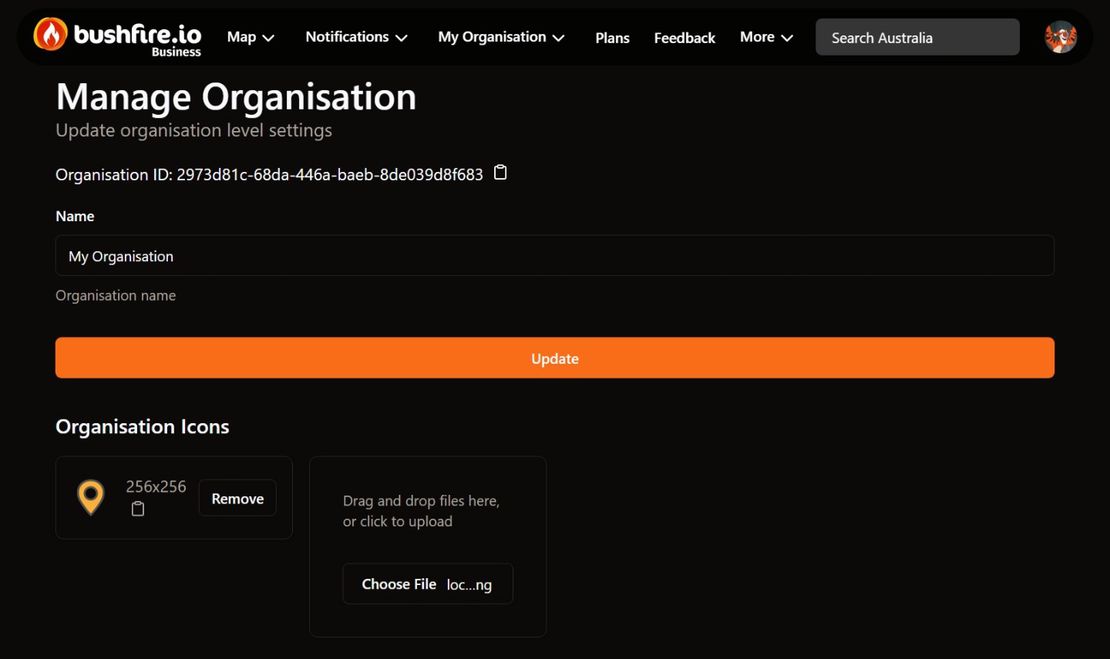
Go to My Organisation > Settings. The page is called Manage Organisation. It shows your Organisation ID, which our support team can ask for.
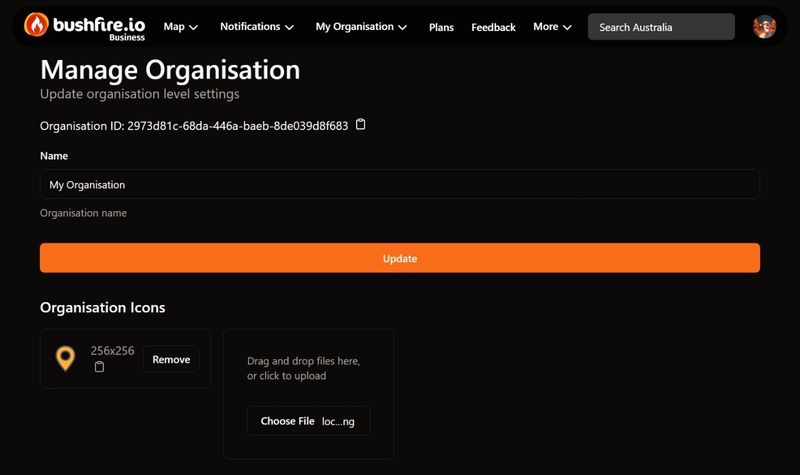
- Name: the name that your members see.
- Allow Users to Manage Notification Destinations: this is on by default. When it is off, members cannot add their own SMS numbers, email addresses or webhooks. Organisation Managers then add destinations for them. See How do I add a destination for a staff member?
- Allow User Impersonation: this lets Organisation Managers see Bushfire.io as another member sees it. It needs our approval. Contact us to turn it on.
Select Update to save your changes.
Organisation Icons
You can upload PNG, JPEG or WebP icons. You can then use these icons to show your sites on the map.
Warning
Uploaded icons are not access-restricted. Anyone with the URL of an icon can open it. Do not upload sensitive or confidential images.
The Remove button on an icon removes it immediately. There is no confirmation.
Delete Organisation
Warning
You cannot undo this action. Actions > Delete Organisation deletes the organisation and unlinks all of its licences. Contact us before you delete an organisation.
Licences
Go to My Organisation > Groups and Licences. Keep My Organisation Only on to see only the licences of your organisation.

Each licence card shows:
- The name and plan of the licence.
- Allocated: the number of seats in use, and the limit. An Enterprise licence usually shows Unlimited.
- The expiry date. An expired licence has a red border.
Select a licence to open it. On the licence page, you can:
- Assign users. See How do I add a user?
- Remove users. See How do I remove a user?
- Add licence managers. See How do I make someone a manager?
- Change the Licence Name, then select Update Licence.
To renew a licence, change the number of seats or change your billing details, contact us.
Features that are not in the app
These features are not available in Bushfire.io today:
- Single sign-on (SSO) or SAML. Members sign in with an email code, or with Apple, Google, Microsoft or Facebook. See Why do we require login?
- An audit log of admin changes.
- Invoices in the app.
Contact us if your organisation needs one of these. For security questions, see How is Bushfire.io secured?
Common problems
My team cannot see our custom layer
If the layer page shows Only you can see this layer, the layer is not shared. Link a licence to the layer. See How do I share a layer?
If the layer is shared, make sure that each person holds a Pro, Business or Enterprise licence. A User licence does not give access to custom layers.
A new user did not get an email
Bushfire.io does not send an invitation email. Tell the person to sign in at bushfire.io/ux/login with the email address that you used. Their licence is then active.
My team gets too many alerts
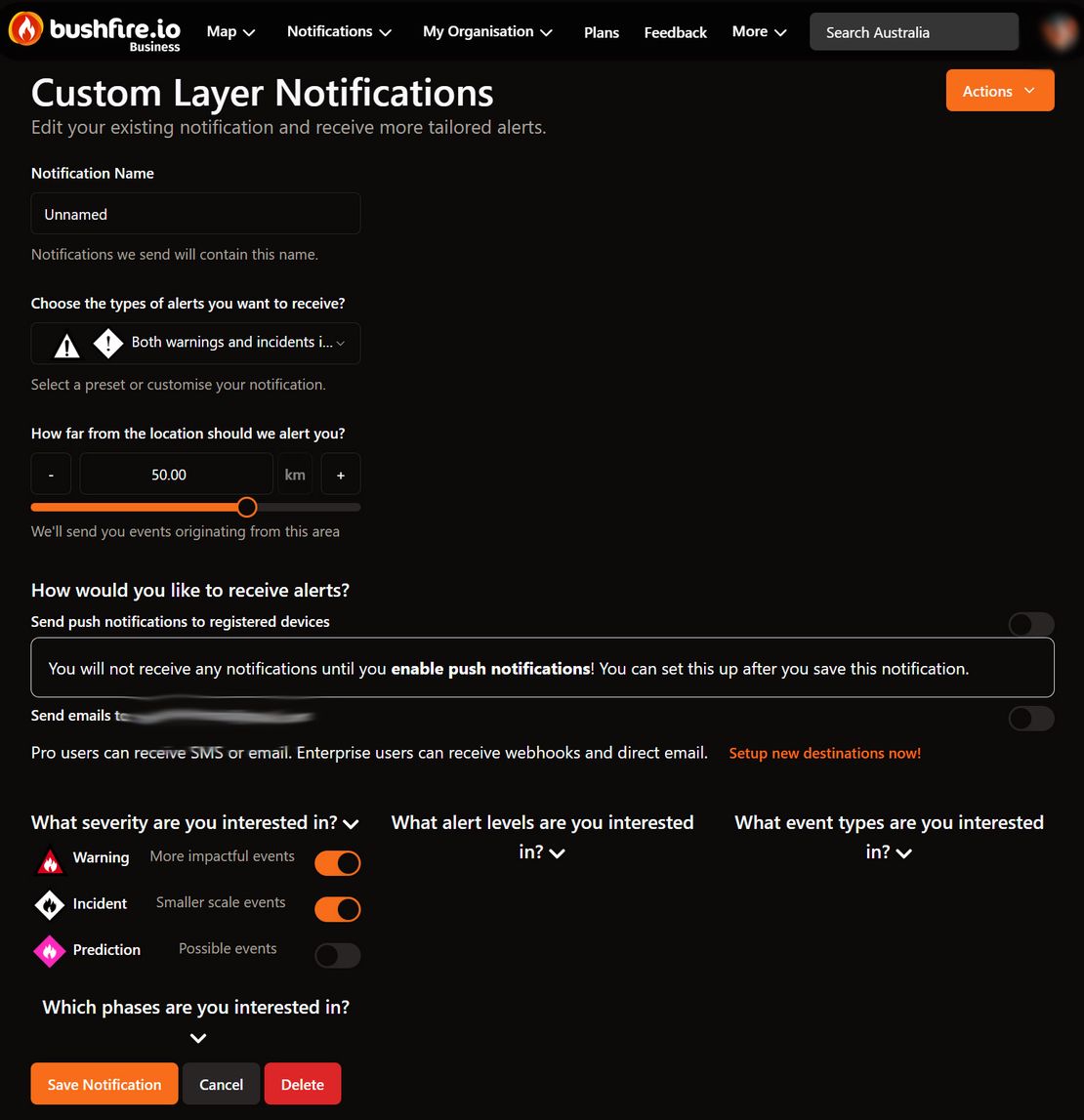
Make the alert radius smaller. When you edit a layer notification, the app shows how many alerts it sent in the last 2 days. See How do I get alerts near my sites?
A person left our organisation
Remove them from each licence and from each custom layer. See How do I remove a user?
Related
- How do I Set Up Organisation Users?
- How do I Set Up Custom Layers?
- How to Set Up Notifications
- Using Critical Alerts
Need help? Contact support.