How do I add a user to my organisation?
- Disaster Science
- Bushfire.io enterprise
- November 4, 2026
Table of Contents
There are two ways to add a person to your organisation. If the person has no Bushfire.io account, use Option 1. If the person already has an account, use Option 2.
Info
Requires an Organisation Manager on a Bushfire.io Enterprise licence. Part of the Enterprise Admin Guide.
Option 1: Create a new user
If the person has no Bushfire.io account, use this option.
- Go to My Organisation > Users.
- Select the ➕ button beside Organisation Users.
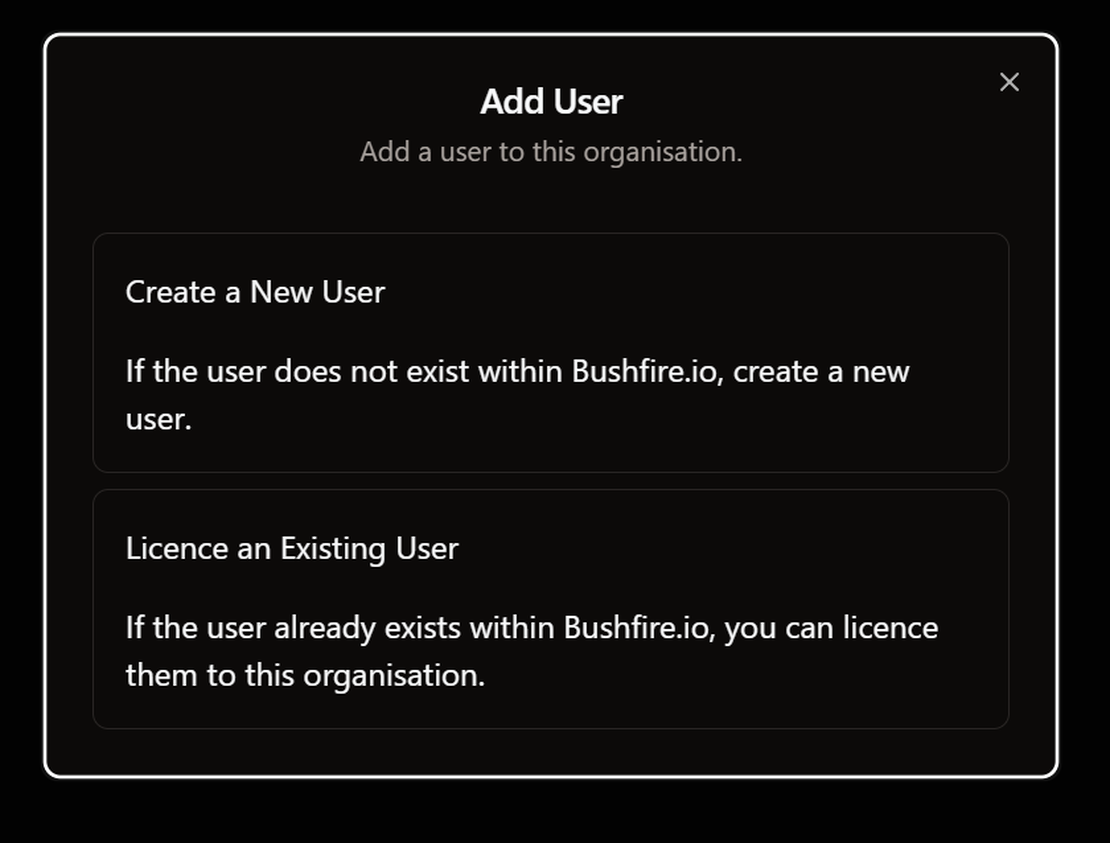
- Select Create a New User.
- Enter the Name of the person.
- Enter the Email address of the person.
- In Organisation Licence, select the licence to give them.
- Select Create New User.

The app shows User created successfully. The person is now in the user list.
Warning
Bushfire.io does not send an invitation email. Tell the person to sign in at bushfire.io/ux/login. They must use the same email address.
Option 2: Licence a person who already has an account
If the person already uses Bushfire.io, use this option. If Create New User shows an error, the email address is already in use. Use this option instead.
- Go to My Organisation > Groups and Licences.
- Select the licence to give the person.
- In the Users section, select the ➕ button. The Assign User Licence dialog opens.
- If the person is already in your organisation, select them under Select Existing (your organisation) User. Then select Add Organisation User.
- If the person is not in your organisation, go to Assign from Bushfire.io. Enter their address in Email Addresses. Then select Assign Licence.

The person gets the features of the licence the next time they open Bushfire.io.
Good to know
- To add more than one person, separate the email addresses with commas. Do not put spaces after the commas.
- To add everyone with your company email address, use an email suffix. See How do I licence my email domain?
- The Organisation Licence list shows only the licences of your organisation. If the list is empty, contact us.
- To change the plan of a person, remove them from one licence. Then assign them to a different licence.
- To let the person see your sites, share your custom layer with their licence. See How do I share a layer?